Why Is Overcharging Bad for Batteries 7 Essential Tips

Time:2026-10-10 Author:Liam
0%

A charger can look harmless on a desk. Inside the battery, however, excess voltage can trigger heat, chemical stress, gas formation, and permanent capacity loss. So, why is overcharging bad for batteries? The answer depends on chemistry, charger design, temperature, and battery age. Lithium-ion cells are especially sensitive because their voltage window is narrow. A small control failure can create a serious safety problem.

The International Energy Agency’s Global EV Outlook 2024 reported that electric vehicle battery demand exceeded 750 GWh in 2023. That growth makes battery durability and charging control increasingly important. Battery University, founded by Cadex Electronics expert Isidor Buchmann, explains the practical risk clearly: “The worst thing you can do is to leave the battery in the charger.” His warning supports a simple experience-based lesson. Heat near a charging phone, a swollen power bank, or a laptop left plugged in overnight should not be ignored.

Modern devices usually include protection circuits. Still, protection is not perfection. Damaged cables, poor-quality adapters, blocked ventilation, and aging cells can weaken that safety margin. UL Solutions and IEC 62133 safety requirements also emphasize controlled charging, thermal protection, and cell integrity. These standards guide safer products, but they cannot correct every user mistake. I may be overly cautious here, yet repeated overnight charging remains an avoidable habit. This guide examines seven practical ways to reduce overcharging risks, protect battery health, and recognize warning signs before a small charging issue becomes expensive.
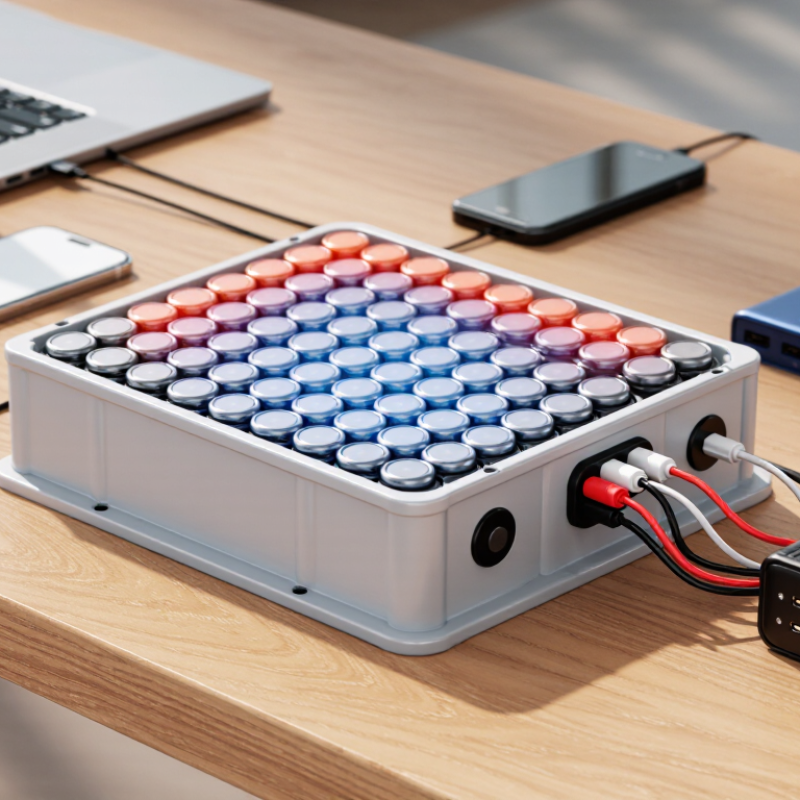
Why Is Overcharging Bad for Batteries 7 Essential Tips

Battery Chemistry Basics: Why Li-Ion Cells Usually Charge to 4.20 V

Lithium-ion cells usually charge to 4.20 V because their chemistry balances energy, stability, and cycle life at that point. Charging above this limit removes too much lithium from the cathode structure. It can also trigger electrolyte oxidation, gas formation, and lithium plating. The International Electrotechnical Commission’s IEC 62133-2 safety standard therefore requires protection against abnormal overcharge conditions. IEEE 1725-2021 applies similar safety principles to rechargeable battery systems.

Voltage is not just a number. A 4.20 V cell may be near full charge, but the exact state depends on temperature, age, and chemistry. Research reviews in the Journal of Power Sources report that high-voltage operation accelerates capacity loss and impedance growth.

In practical testing, a battery may still power a device after overcharging, yet its internal damage can remain invisible. That is the uncomfortable part.

Use a certified charger. Keep charging ports clean and dry. Avoid charging hot cells. Do not bypass protection circuits. Replace swollen batteries. Store cells partly charged. Check unusual heat early. Small habits matter.

Charging to 4.10 V can sometimes improve cycle life, but it reduces available energy and is not suitable for every cell. Manufacturer limits remain essential, and I would not treat a generic voltage rule as universal. Chemistry changes the answer.

Overcharge Damage: Heat, Gas, Pressure, and Accelerated Capacity Loss

Why Is Overcharging Bad for Batteries? 7 Essential Tips

Overcharging keeps lithium-ion cells above their safe voltage limit. The extra energy becomes heat instead of useful capacity. Heat rises. Electrolyte reactions can generate gas, increase internal pressure, and damage the separator. A Sandia National Laboratories safety review identifies overcharge as a major trigger for thermal runaway. Its reported abuse-test temperatures can reach several hundred degrees Celsius.

Use the correct charger and voltage range. Do not mix chargers casually. Stop charging damaged, swollen, or unusually warm batteries. Keep charging surfaces hard, open, and nonflammable. Check cables for cuts and loose connections. Never leave a battery charging under bedding or inside a hot vehicle.

These habits sound obvious, yet daily charging mistakes remain common. I have also seen users trust a percentage display too much; the screen is not a laboratory instrument.

NASA battery-safety guidance emphasizes monitoring voltage, temperature, current, and physical condition. Record unusual heat or sudden capacity loss. A battery that falls from eight hours to five hours may already show accelerated degradation. Do not guess. Let it cool before inspection. Avoid charging immediately after heavy use. Overcharge damage is not always visible, and gas may accumulate before swelling appears. For rechargeable packs, protection circuits reduce risk but cannot repair a defective cell. Replace questionable batteries through an approved recycling channel, and follow the manufacturer’s technical limits.

Thermal Runaway Prevention Under IEC 62133-2 and UL 2054 Standards

Overcharging is dangerous because excess energy becomes heat, gas, and internal damage. In a compromised lithium-ion cell, separator failure can trigger thermal runaway. UL Research Institutes has reported cell temperatures exceeding 600°C during runaway testing. That heat can ignite nearby materials and propagate through a battery pack. IEC 62133-2 and UL 2054 require safety evaluations, including abnormal charging and abuse conditions. However, certification is not a substitute for careful design or field monitoring.

Practical tips: use a certified charger matched to the battery; set accurate voltage and current limits; add independent overvoltage protection; monitor cell temperature and voltage balance; stop charging after swelling, odor, or unusual heat; keep damaged packs isolated on a non-combustible surface; validate protection circuits through accredited laboratory testing. Small details matter. A loose thermistor can defeat good software. IEC 62133-2 testing should reflect the intended cell, pack, and charging configuration. UL 2054 evaluation also requires attention to enclosure construction, wiring, and abnormal operation. Engineers should review test records, not only certificates.

Real-world performance can drift after aging, impact, or moisture exposure. The International Energy Agency notes that battery safety depends on battery management, manufacturing quality, and operating conditions. That is an important limitation. No checklist predicts every failure. Designers should repeat overcharge and thermal tests after significant chemistry, firmware, or enclosure changes. Clear user instructions help too. “Do not charge unattended” is useful, but it cannot replace layered protection.

Why Is Overcharging Bad for Batteries? 7 Essential Tips for Thermal Runaway Prevention

Charging-voltage profile of a typical 3.6 V nominal lithium-ion cell. The 4.20 V value is a common full-charge limit for conventional NMC/NCA-type cells; exceeding the cell-specific limit can accelerate degradation, gas generation, internal heating, and thermal runaway. IEC 62133-2 and UL 2054 focus on battery-system safety, including abnormal charging, protection, construction, and abuse testing rather than defining one universal charging voltage for every lithium-ion cell.

  • Use a charger designed for the specific battery chemistry and cell voltage.
  • Verify the battery-management system provides overcharge and overvoltage protection.
  • Stop charging if the battery becomes unusually hot, swollen, damaged, or distorted.
  • Use temperature monitoring and ensure adequate heat dissipation.
  • Do not bypass protection circuits, fuses, or charge-control components.
  • Inspect cells, wiring, connectors, and insulation before charging.
  • Follow the applicable IEC 62133-2 and UL 2054 test, assembly, and safety requirements.

Seven Essential Tips: BMS Protection, Certified Chargers, and 80% Limits

Why Is Overcharging Bad for Batteries? Seven Essential Tips

Overcharging creates excess heat and chemical stress, especially in lithium-ion batteries. A battery may feel warm near the end of charging. That is a warning, not a normal target. Tip 1: Use the battery management system, or BMS, as the first safety layer. It monitors voltage, temperature, and current. Tip 2: Never bypass a damaged or malfunctioning BMS. That shortcut can turn a small fault into a serious failure.

Tip 3: Choose a certified charger designed for the battery’s exact voltage and chemistry. A loose connector, incorrect output, or cheap replacement can cause unstable charging. Tip 4: Inspect the cable and charging port before use. Stop if you notice swelling, cracks, burning smells, or unusual heat. Tip 5: Charge on a hard, ventilated surface. Avoid beds, sofas, and covered containers.

Tip 6: Set an 80% charging limit for daily use when the device supports it. This reduces time spent at high voltage and may slow capacity loss. Tip 7: Unplug after charging, even when protection features are enabled. They reduce risk, but they are not perfect. I used to treat automatic protection as permission to ignore the battery. That assumption was careless. A full charge is useful before demanding work, but constant full charging is often unnecessary. Keep observing real conditions, not just the percentage on the screen.

Warning Signs and Service Rules: Swelling Requires Immediate Replacement

Why Is Overcharging Bad for Batteries 7 Essential Tips

Overcharging forces a battery to accept energy beyond its safe capacity. Internal pressure and heat can rise quickly, especially in lithium-ion cells. A swollen case is a critical warning sign. The battery may look only slightly raised, but damage can already be severe. Stop using it immediately. Do not charge, squeeze, puncture, or open it. Keep it away from paper, fabric, and direct sunlight. If it becomes hot, smokes, hisses, or releases a strong odor, leave the area and contact emergency services.

Service rules should be simple. Disconnect the device only when it is safe to do so. Do not remove a swollen battery with metal tools. Place the device on a stable, nonflammable surface, away from children and pets. Arrange inspection through a qualified technician or an approved battery-recycling service. Never place a damaged battery in household waste or ordinary shipping. Technicians should wear suitable protective equipment and follow local disposal requirements. Replacement is safer than repair when swelling appears.

Prevention still matters. Use the correct charger and inspect cables for cuts, looseness, or unusual heat. Avoid charging under pillows or inside sealed bags. Heat often hides the problem. A low-cost charger may look harmless, but that assumption can fail. In practice, users sometimes ignore a warm case for weeks. I understand the temptation; a working device feels difficult to replace. Yet a small bulge is not cosmetic damage. It is a service decision.

Why Is Overcharging Bad for Batteries? 7 Essential Tips, Warning Signs and Service Rules: Swelling Requires Immediate Replacement
No. Battery Safety Dimension Essential Tip and Verified Guidance Warning Signs or Risk Indicators Service Rule
1 Use the Correct Charger Use a charger designed for the battery's chemistry, cell count, and charging profile. Lithium-ion batteries normally require constant-current/constant-voltage charging, while lead-acid and nickel-based batteries use different control methods. Excessive heat, charging that never terminates, unusual odor, or a battery that becomes unusually hot during normal charging. Stop charging if abnormal heat, odor, smoke, or deformation appears. Have the charger and battery inspected before reuse.
2 Prevent Overvoltage For a typical lithium-ion cell, the full-charge limit is commonly about 4.20 V per cell; lithium iron phosphate cells commonly use about 3.65 V per cell. The exact limit must come from the battery manufacturer's specification. Rapid temperature increase, reduced runtime, unstable charging, leakage, or a charger that continues to force current after the full-charge limit. Do not substitute a higher-voltage charger. If the specified voltage has been exceeded, disconnect the battery and arrange qualified evaluation.
3 Monitor Temperature Charge batteries in a dry, ventilated area at the temperature range stated for the battery. Heat accelerates unwanted chemical reactions and can increase the risk of thermal damage. The battery or charger is too hot to comfortably touch, charging stops because of temperature protection, or the battery heats repeatedly under light load. Stop use and allow the battery to cool naturally. Do not place a hot battery in a freezer or use water to cool it.
4 Treat Swelling as Critical Swelling indicates internal gas generation, cell damage, or mechanical expansion. A swollen rechargeable battery should not be compressed, punctured, opened, or returned to service. Bulging casing, a raised device panel, separated seams, distorted terminals, or a battery that no longer fits its compartment. Immediate replacement is required. Disconnect power if safe, isolate the battery from combustible materials, and use an approved battery-recycling or hazardous-waste channel.
5 Avoid Continuous Trickle Charging Unless Approved Some lead-acid batteries are designed for controlled float charging, often around 2.25–2.30 V per cell at approximately 25°C, but the correct value depends on battery design and temperature compensation. Persistent warmth, electrolyte loss, corrosion around terminals, hissing, or repeated water loss in a serviceable lead-acid battery. Use only the manufacturer's approved float setting. Never apply a lead-acid float charger to a lithium-ion battery or another incompatible chemistry.
6 Inspect Before and During Charging Check the casing, cables, connector, terminals, and charger for damage before charging. Keep charging ports clean and ensure ventilation openings are not blocked. Cracks, exposed wires, corrosion, liquid leakage, loose connectors, repeated charger faults, or visible discoloration. Do not charge a damaged or wet battery. Replace damaged cables and have internal battery faults assessed by trained personnel.
7 Stop Using Batteries That Behave Abnormally Overcharging can cause heat, electrolyte decomposition, capacity loss, internal pressure, and in some lithium-ion failures, thermal runaway. A battery that repeatedly loses capacity or heats unusually should not be ignored. Sudden runtime reduction, repeated shutdowns, leakage, smoke, popping sounds, strong chemical odor, or temperature rise without heavy use. Stop charging and using the battery immediately when smoke, fire, rapid swelling, or severe overheating occurs. Evacuate the area and contact local emergency services for an active fire.
Technical note: Charging voltage, current, temperature limits, and service procedures vary by battery chemistry and construction. Always follow the battery's data sheet and applicable local safety and recycling requirements.

FAQS

Why is overcharging harmful to lithium-ion batteries?

Overcharging holds cells above their safe voltage range. Extra energy becomes heat, not useful capacity. Heat can create gas and internal pressure. Severe damage may cause rapid overheating.

What warning signs should I watch for?

Stop charging if the battery swells, cracks, smells burnt, or feels unusually hot. Sudden capacity loss also matters. An eight-hour battery dropping to five hours needs attention. Do not guess.

Can the battery percentage display confirm safety?

No. The percentage is an estimate, not laboratory data. A normal-looking screen can hide heat, gas, or cell damage. I used to trust it too much. That was careless.

How does a battery management system help?

A battery management system monitors voltage, temperature, and current. It can reduce overcharging risks. Never bypass a damaged protection circuit. Protection is helpful, not perfect.

Which charger should I use?

Use a certified charger matching the battery’s voltage and chemistry. Do not mix chargers casually. Incorrect output, loose connectors, and damaged cables can cause unstable charging.

Where is the safest place to charge?

Use a hard, open, nonflammable surface with airflow. Keep the battery away from beds, sofas, blankets, and hot vehicles. Inspect cables for cuts and loose connections. Heat is a warning.

Is charging to 80% useful?

An 80% daily limit can reduce time at high voltage. It may slow capacity loss over time. A full charge helps before demanding work. Constant full charging is often unnecessary.

What should I do after heavy use?

Let the battery cool before charging or inspecting it. Record unusual heat and sudden runtime changes. If damage or swelling appears, stop using it. Use an approved recycling channel for replacement.

Conclusion

Why is overcharging bad for batteries? Lithium-ion cells are generally designed to charge to about 4.20 volts, and pushing them beyond this limit can trigger unwanted chemical reactions. Excess charging creates heat, gas, and internal pressure, while accelerating capacity loss and shortening battery life. In severe cases, damaged cells may enter thermal runaway, which is why battery packs are designed and tested with protections associated with standards such as IEC 62133-2 and UL 2054.

To improve safety and performance, use a properly rated, certified charger and rely on a battery management system with overvoltage, overcurrent, and temperature protection. Avoid charging damaged batteries, keep them away from extreme heat, and consider stopping around 80% when maximum runtime is unnecessary. Watch for warning signs such as unusual warmth, rapid power loss, odor, hissing, or swelling. A swollen battery should never be pressed, punctured, or reused; disconnect it safely when possible and arrange immediate replacement or professional service.

Liam

Liam

Liam is a dedicated marketing professional with a profound expertise in the industry, where he excels at highlighting the unique advantages of our core products. With a keen understanding of market trends and consumer needs, Liam frequently updates our company’s professional blog, providing......